SIEM and staff monitoring
Who is working, for how long and on what — without calls or walk-arounds
One panel for managers, the security team and IT: staff activity, domain events and alerts, Active Directory, hardware and tickets.
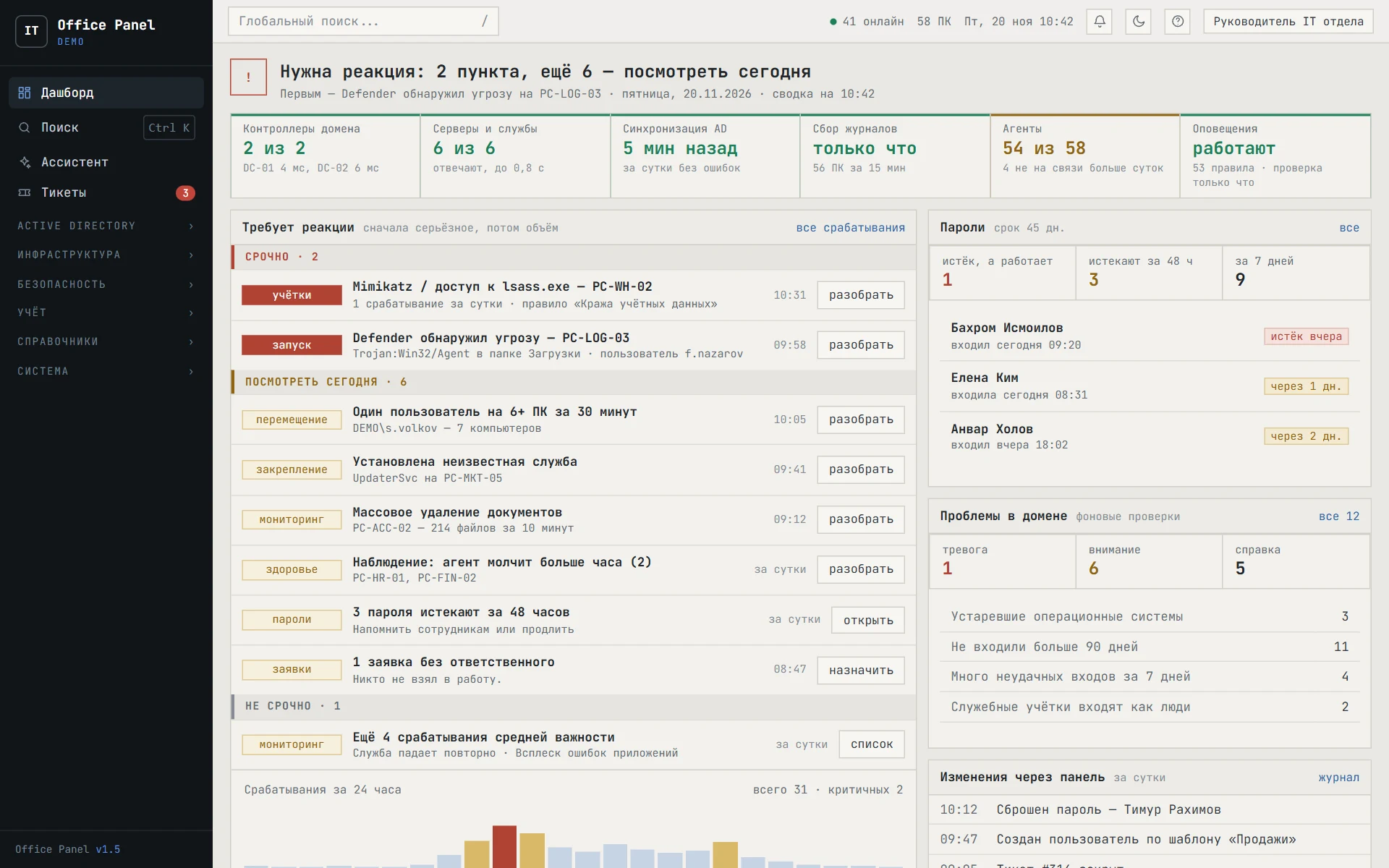
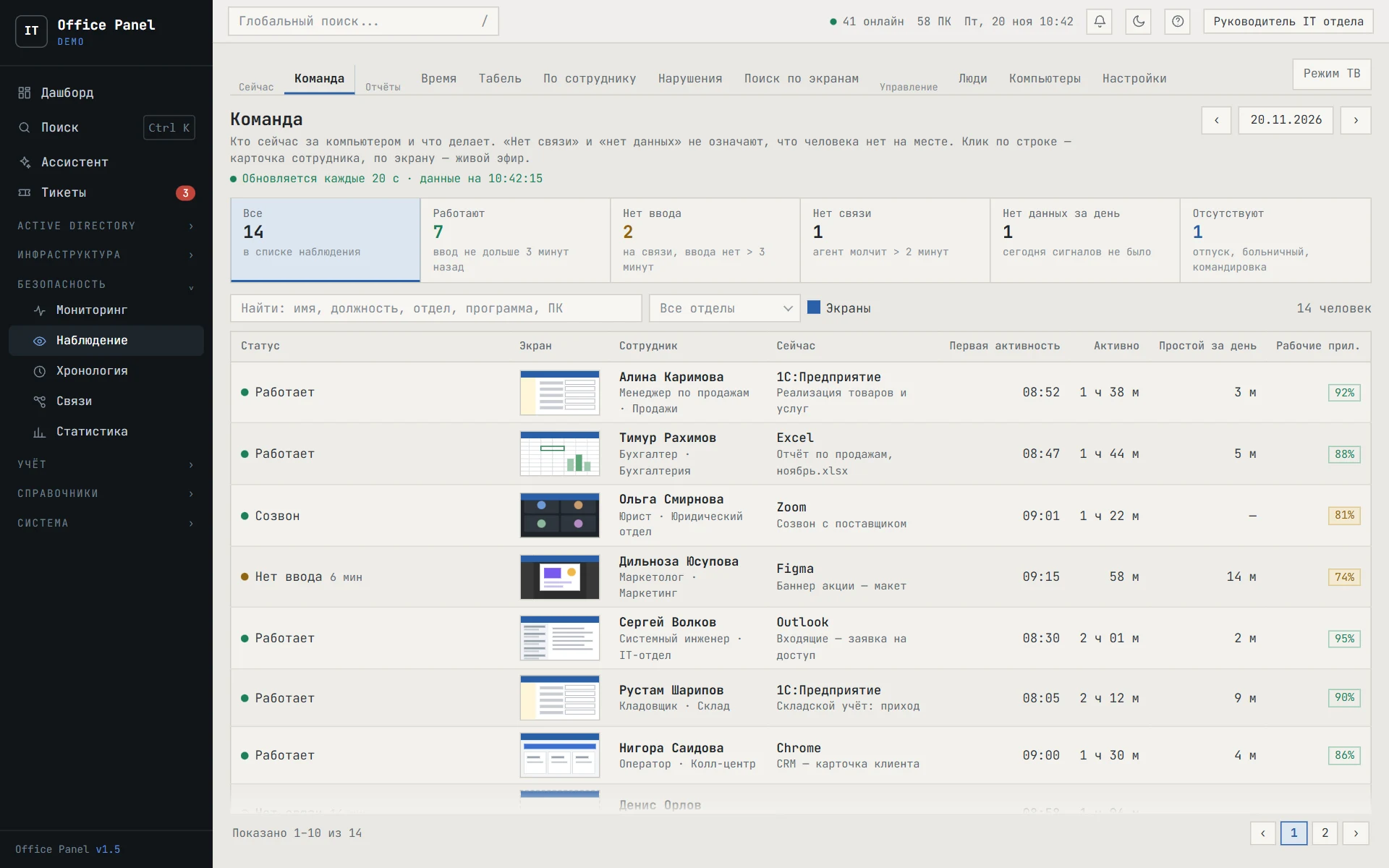
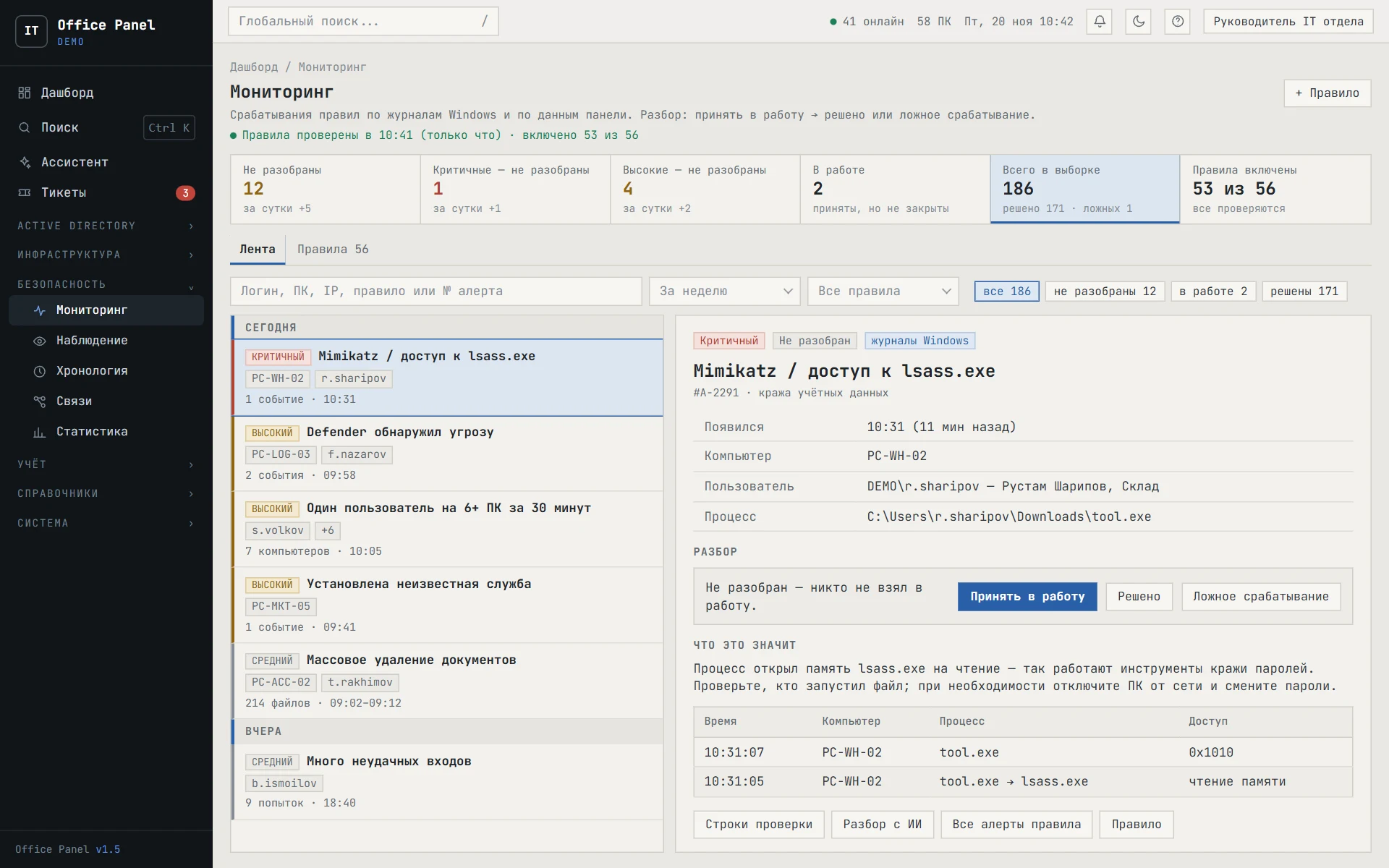
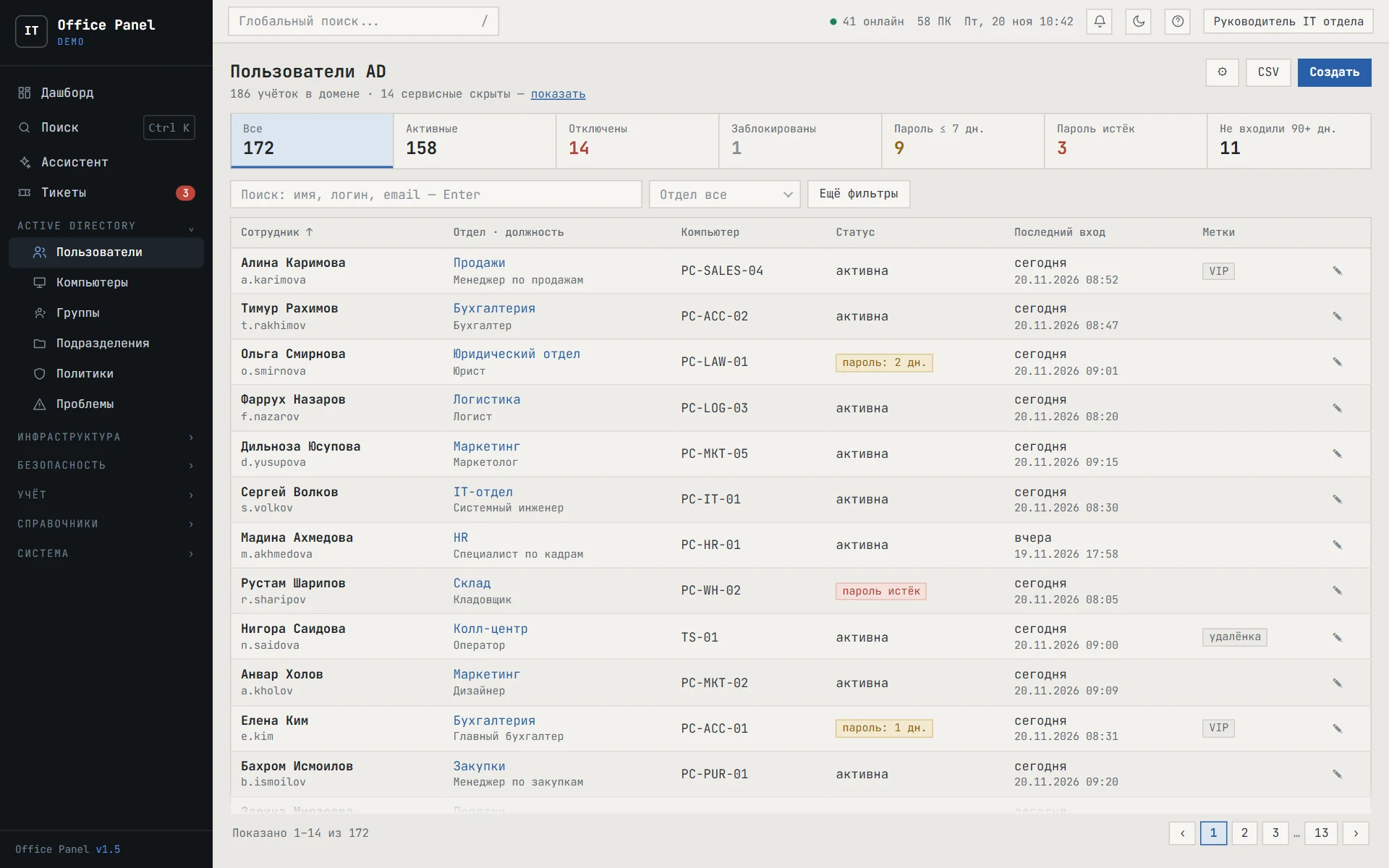
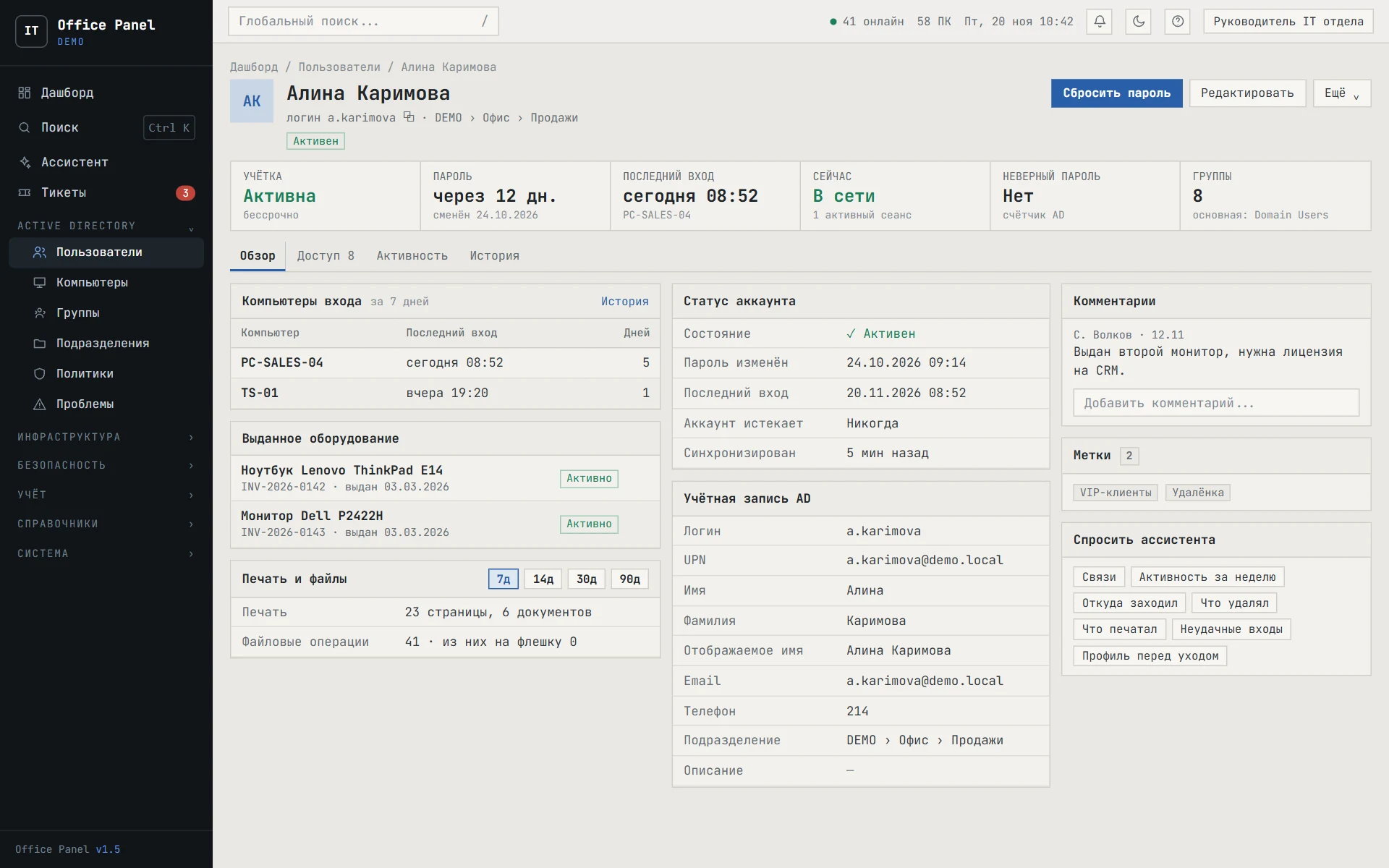
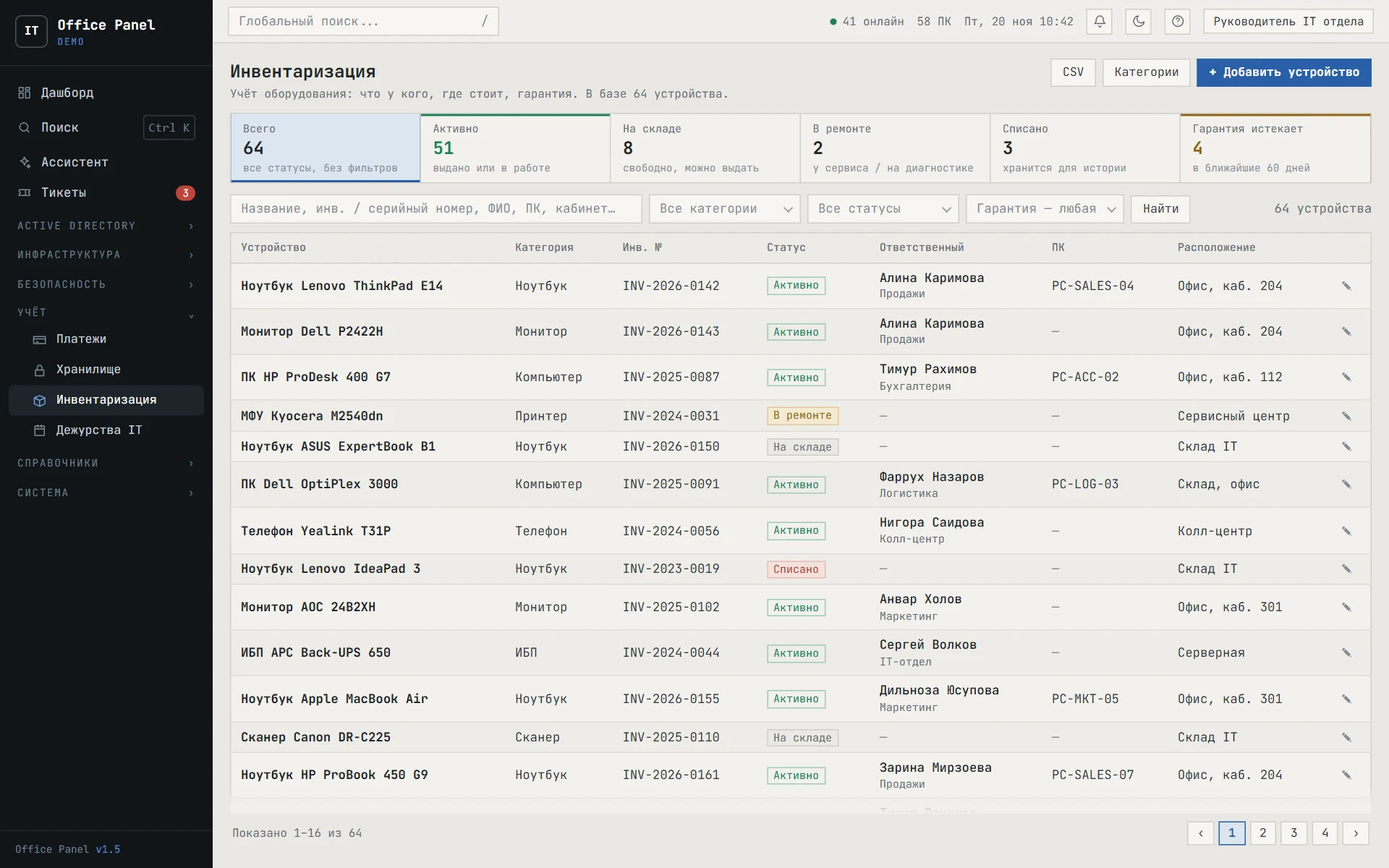
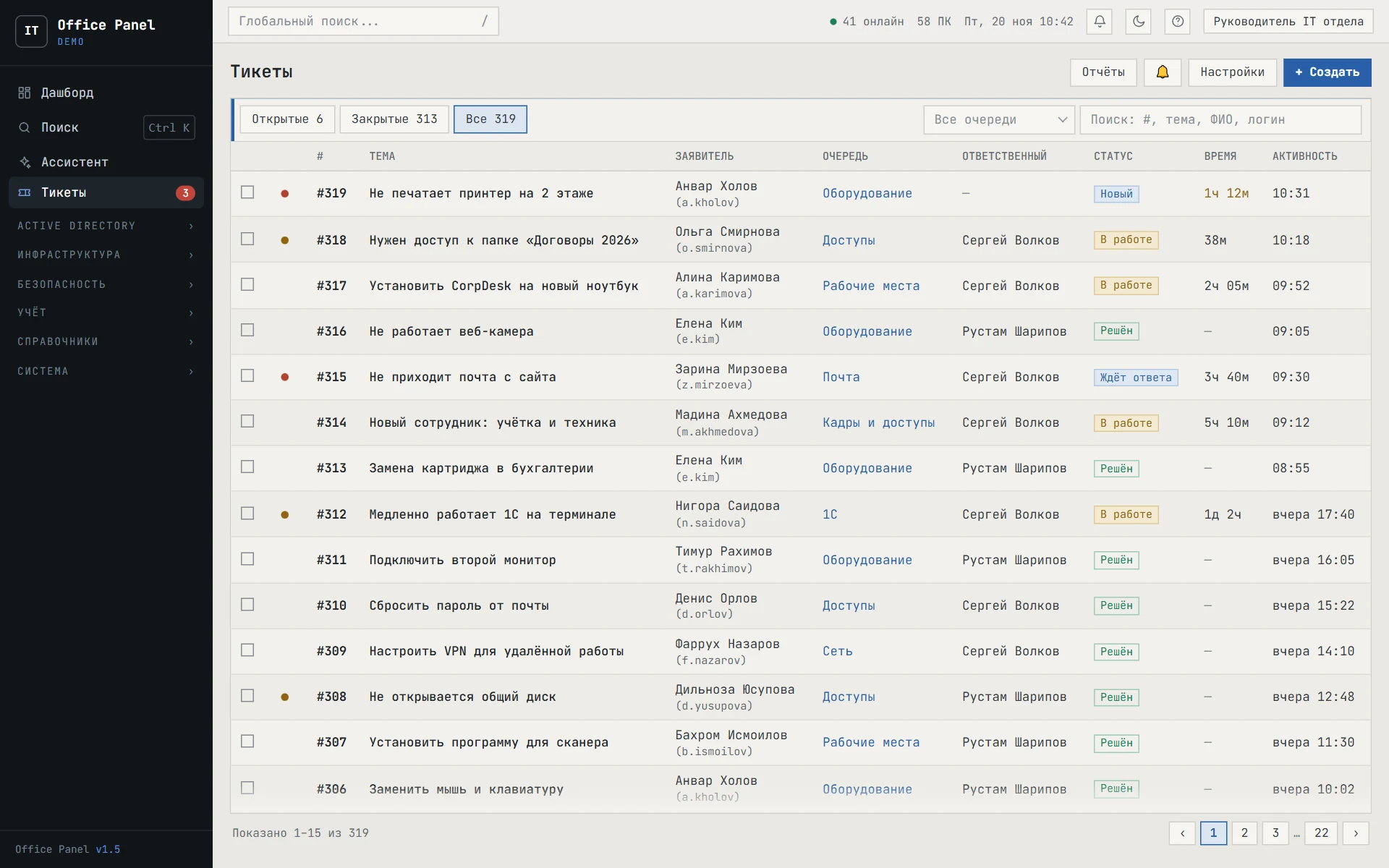
The panel interface with demo data. Click a screen to enlarge it.
Activity monitoring
An agent on the employee’s computer sends activity and screenshots. The panel counts working time from real activity and shows honestly where data is missing.
- Who is at their desk?
- A live staff list: working, away or offline, with a screen thumbnail and the app in focus. A big-screen mode and real-time screen viewing.
- How many hours were worked?
- Arrival, departure and lateness are based on real activity, not on a computer being switched on. Schedules, vacations and sick leave, and a monthly timesheet you can export to Excel.
- Where does the time go?
- Apps and websites labelled productive or unproductive, screen recordings for the day, and text search across screenshots. Zoom and Teams calls don’t count as idle time.
- Where does data go?
- Clipboard, file operations, USB drives being plugged in, and a process list with CPU and memory load.
- What is happening in the domain?
- Windows logs from every computer and server are collected in one database. Alert rules with Telegram notifications, and Active Directory accounts with history: who created an account and who disabled it.
- How do I get an answer fast?
- The panel’s AI assistant answers questions about your data in plain language: “who was late this week”, “who copied files to a USB drive”.
More in monitoring
- Live screen view with one click on a thumbnail
- TV mode for a big screen in the department
- Employee report for any period
- Schedule breaches: late arrivals and early departures
- Managers see only their own department
- Holidays, sick leave and business trips in the timesheet
- Webcam snapshots — if enabled in settings
- Terminal servers: each session tracked separately
- Offline, the agent stores data and sends it later
Domain events and alerts
Windows logs from computers and servers are collected in one database. Rules check them continuously and raise an alert when something dangerous or unusual happens.
Examples of built-in rules
- Mimikatz and lsass.exe memory access
- Defender detected a threat
- Unknown service installed
- File in the startup folder
- One user on 6+ computers within 30 minutes
- Process spoofing
- Mass document deletion
- Many failed sign-ins
- Frequent account lockouts
- Trigger word on an employee’s screen
Alert triage
- NewThe alert appears in the feed and is sent to Telegram
- In progressSomeone takes it on — the others see it is already being handled
- Resolved or false positiveThe outcome is saved, and repeat triggers are merged into one alert
- More than 50 built-in rules, plus your own via a form in the panel
- AI analysis: the assistant explains what happened and suggests what to check
- If logs stop arriving, the panel warns you: silence doesn’t mean “all clear”
Dashboard: where to start the day
The first screen answers the question “what needs attention?”. Severity first, then volume.
- Urgent, “look at today” and “not urgent” in separate groups
- Status of domain controllers, servers, sync and data collection
- Passwords: expired but still working, and expiring within 48 hours
- Domain problems from background checks
- What was changed through the panel in the last 24 hours
Active Directory without the admin console
Domain users, computers, groups and policies — in the browser, with search, filters and change history.
Users
- Filters: disabled, password expired or expiring, no sign-in for 90+ days
- Template-based account creation — groups are copied automatically
- Password reset and unlock in one step
- Export the list to CSV
User profile
- Account, password, last sign-in and failed passwords — all in the top row
- Sign-in computers, issued equipment, printing and files
- Groups and access to services
- Comments, tags and history: who created it, who disabled it
Domain
- Computers, groups and organisational units
- Group Policy objects and their links
- “Problems”: outdated systems, forgotten accounts, DNS errors
- Service accounts that sign in like people
Assets, infrastructure and tickets
Everything the IT team deals with every day — in the same panel, with the same access rights.
- Inventory
- Who has what and where: “issued”, “in stock”, “in repair”, “written off”, warranty dates.
- Vault
- Passwords and access to external services, encrypted, with role-based permissions.
- Payments and subscriptions
- Domains, licences and services with renewal dates and reminders.
- IT on-call
- On-call and cover schedule, and who is on call today.
- Infrastructure
- DNS zones and records, shared folders and quotas, printers.
- Tickets
- Queues, statuses, assignees and time in progress. Requests also come in via a Telegram bot, and there are reports by assignee.
Assistant: just ask
The panel’s AI assistant answers questions about your data in plain language — no reports or filters. From a user profile, it takes one click.
- Who was late this week?
- Who copied files to a USB drive?
- Where did this user sign in from?
- What did they delete and print?
- Failed sign-ins in the last 24 hours
- Profile before an employee leaves
Security and compatibility
The system protects itself
- Encrypted channel with the server certificate pinned in the agent
- No connection? Data is stored encrypted on the computer and sent later
- Agent integrity control; every update is verified before it installs
- Roles, access groups, two-factor sign-in and a log of every change
Where it runs
Windows 8.1–11, Windows Server 2012 R2–2025 and multi-session terminal servers. Install over the network or with Group Policy; the agent updates itself. The server and the data stay with you.
A Windows app: the panel in tabs, with ticket and alert notifications in the system tray.
Discuss a pilotLet’s discuss your task
Tell us what you want to monitor or automate. We’ll reply, show you the product and prepare an estimate.